Announcing MongoBooster 1.3

Today, we're happy to announce the release of MongoBooster 1.3. This release significantly improved the UI performance for the MongoDB aggregation operation.This release also includes UI for Mongoexport and Mongoimport utilities, non-cursor data client-side paging and several minor updates.

Although we are showing screenshots of MongoBooster for Windows, all these new features are available for Mac OS X and Linux as well.

Aggregation UI performance improved

In the older version of MongoBooster, if I you exec a MongoDB aggregation which will get large number of result, the GUI will just hang or freeze for a while. The 1.3 release addressed the annoying issue, it speeds up the aggregation operation significantly. We strongly recommend you upgrading to version 1.3 to improve the aggregation performance if you ever experienced this.

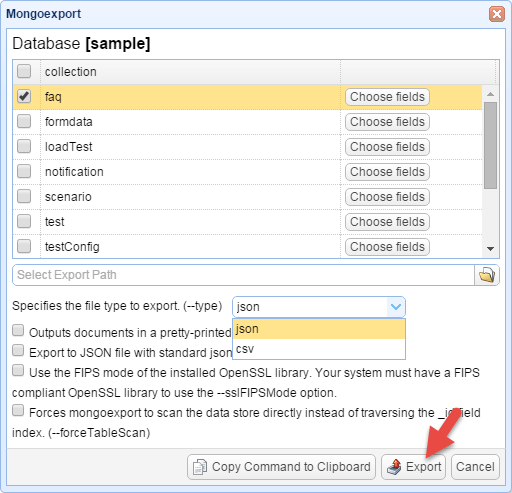
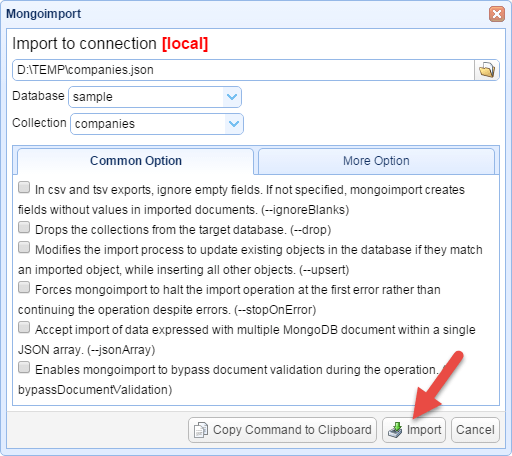
Mongoexport and Mongoimport GUI

mongoexport

mongoimport

Read More

Announcing MongoBooster 1.2

Today, we're happy to announce the release of MongoBooster 1.2. This release adds show history of previous scripts, UI for MongoDump and MongoRestore, show the total number of rows, new Hack font and several minor updates. This release also addresses a few issues around stability, performance and compatibility.

Although we are showing screenshots of MongoBooster for Windows, all this new features are available for Mac OS X and Linux as well.

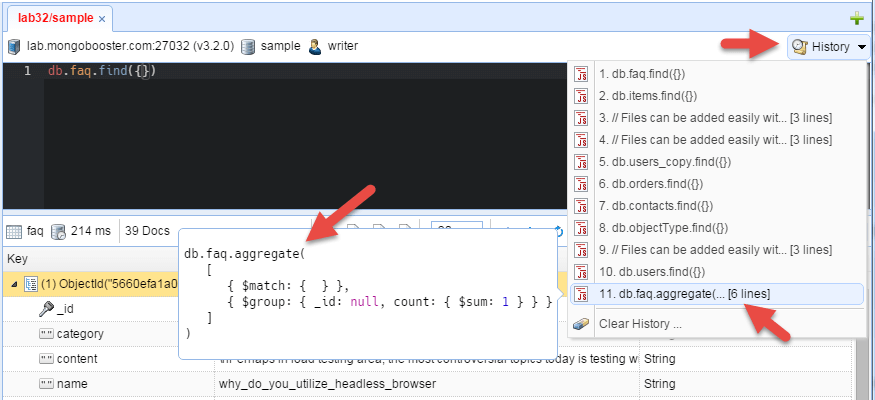
Show history of previous scripts

Press [F7] to pop up history scripts list. Use the up and down key's to scroll through previously typed scripts. Press [Enter] to send it to the code editor shell.

history_scripts

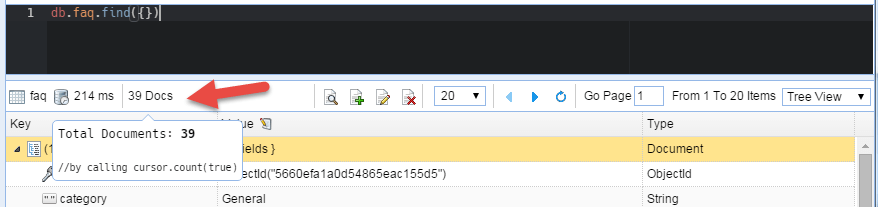
Show the total number of rows

By default, MongoBooster will show the total number of rows in result view if the query time is less then 300 ms. You can disable the feature or adjust the setting in "Options -> Auto fetch cursor count".

total_docs_count

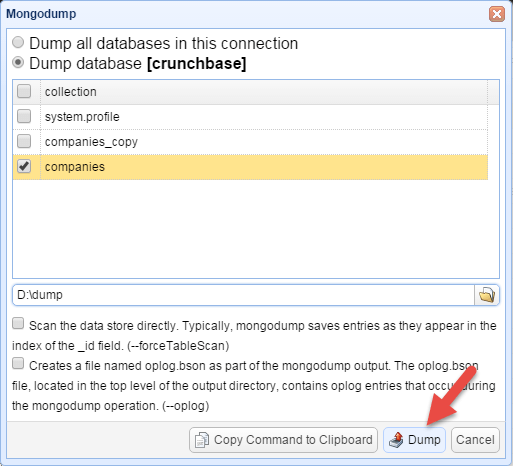
MongoDump GUI tool

mongodump

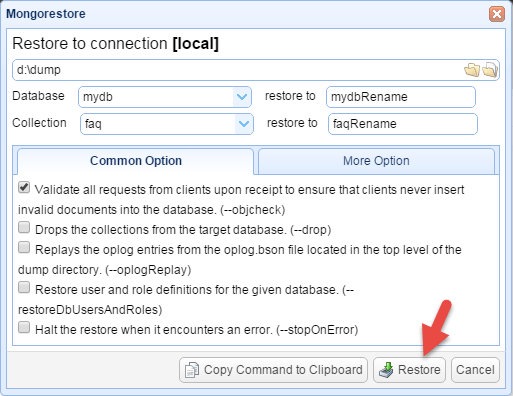
MongoRestore GUI tool

mongorestore

New Hack font

MongoBooster adapts a new typeface designed for source code - Hack. Hack is hand groomed and optically balanced to be your go-to code face.

hack font

Read More

Tip: Mouse Hover and F1

The mouse hover will show many useful information, such as types of symbols, function definition, type information and document. 

Press F1 will lead you to MongoDB online document as the cursor is over a valid MongoDB method.  The F1 online help is MongoDB version sensitive, e.g. if you connected to MongoDB 2.6, it will lead you to MongoDB 2.6 online document,  you will get MongoDB 3.2 online document if you connected to MongoDB 3.2. 

Read More

Announcing MongoBooster 1.1

Today, we're happy to announce the release of MongoBooster 1.1. This release adds support for GridFS, Dark editor theme, Mark connection with color and several minor updates.

Although we are showing screenshots of MongoBooster for Mac OS X, all this new features are available for Windows and Linux as well.

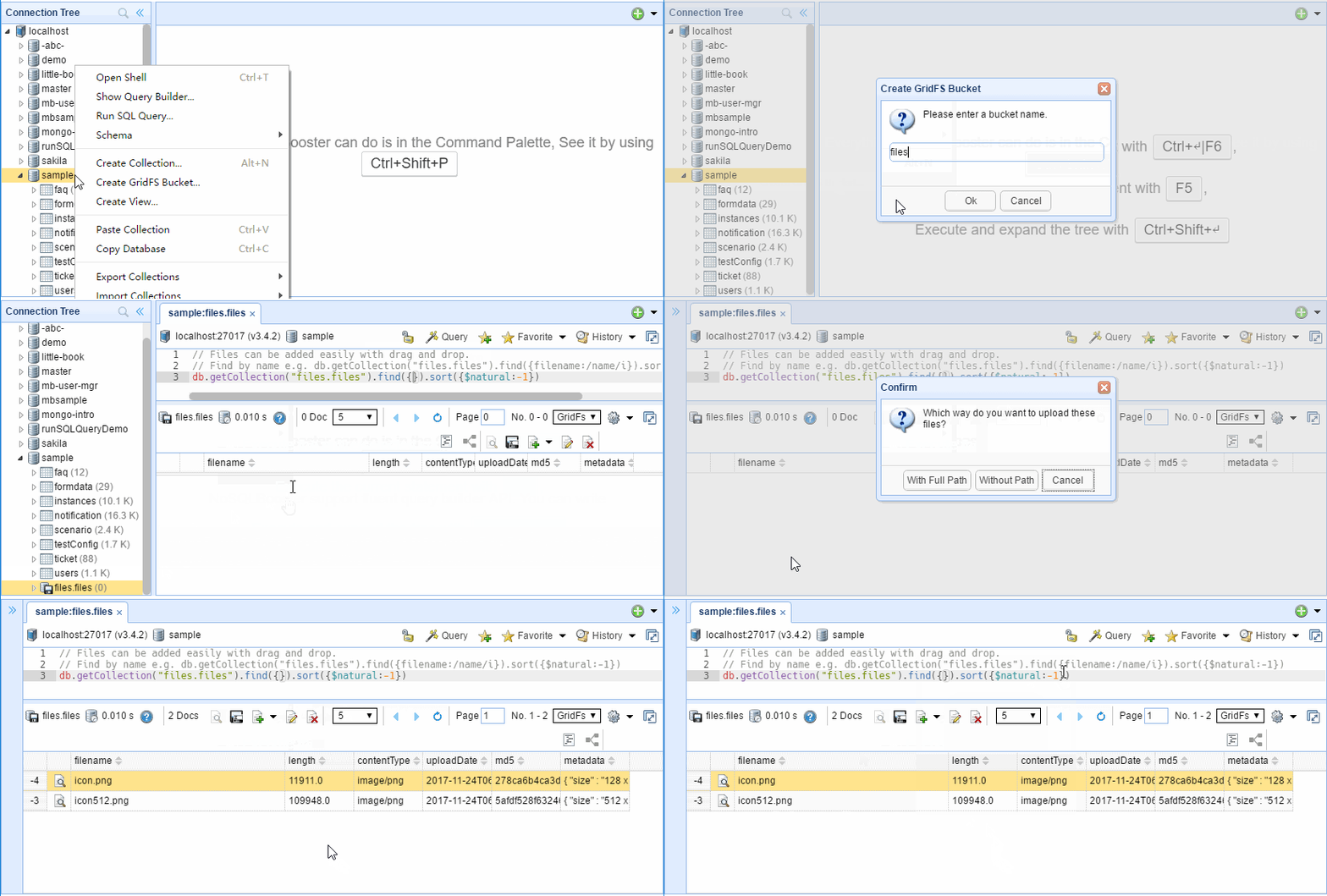
GridFS Support

MongoBooster fully supports MongoDB’s GridFS. With our GridFS Viewer, you can read and write to GridFS collections. Files can be added easily with drag and drop.

GridFS

Read More